Loom Onboarding UI: 4 real screens

Screen and Video Capture Software
This is the onboarding design from Loom, a screen and video capture software application. Loom loom is Atlassian's async video messaging and screen recorder, with Loom AI for titles, chapters, summaries and meeting notes. Loom is owned by Atlassian and signs in through an Atlassian account. Plans on loom.com/pricing are Starter at $0, Business at $18 per user per month, Business + AI at $24 per user per month, and Enterprise (contact sales). Sign-up is by Google or work email, then a workspace name, a use-case step (Work, Education or Personal), and a choice of the Chrome extension or desktop recorder. After signing in, the web app has a Library empty state to record a first Loom, a For you home, Playlists (including a default Watch later list), a Recents history, and Spaces. Personal settings cover the Atlassian-linked profile, push notifications, and link-embedding integrations. Workspace settings include Overview license and usage analytics, Insights, General (workspace name and video-player appearance), Security (public links and default permissions), Data (retention and activity export), Integrations (Salesforce, Zoom, Google Workspace and Slack), Manage AI (workspace-wide Loom AI for titles, chapters, summaries, documents and screenshot titles), and Meeting recordings with Loom Notetaker and calendar connect. Billing is in Atlassian Administration, shown here on an automatic 14-day Business + AI trial. Onboarding flow designs from top SaaS apps. Welcome screens, setup wizards, and first-run experiences. We have 4 onboarding screenshots from Loom showing different states and variations of this pattern.
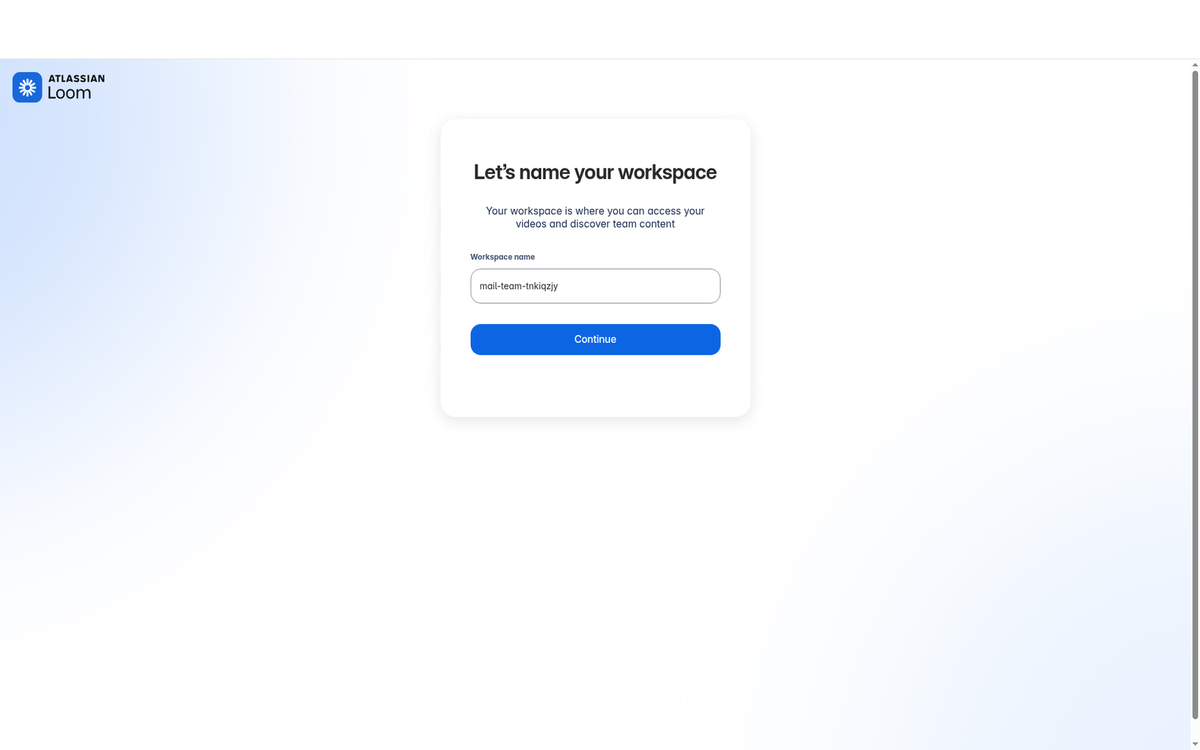
Onboarding — Name your workspace
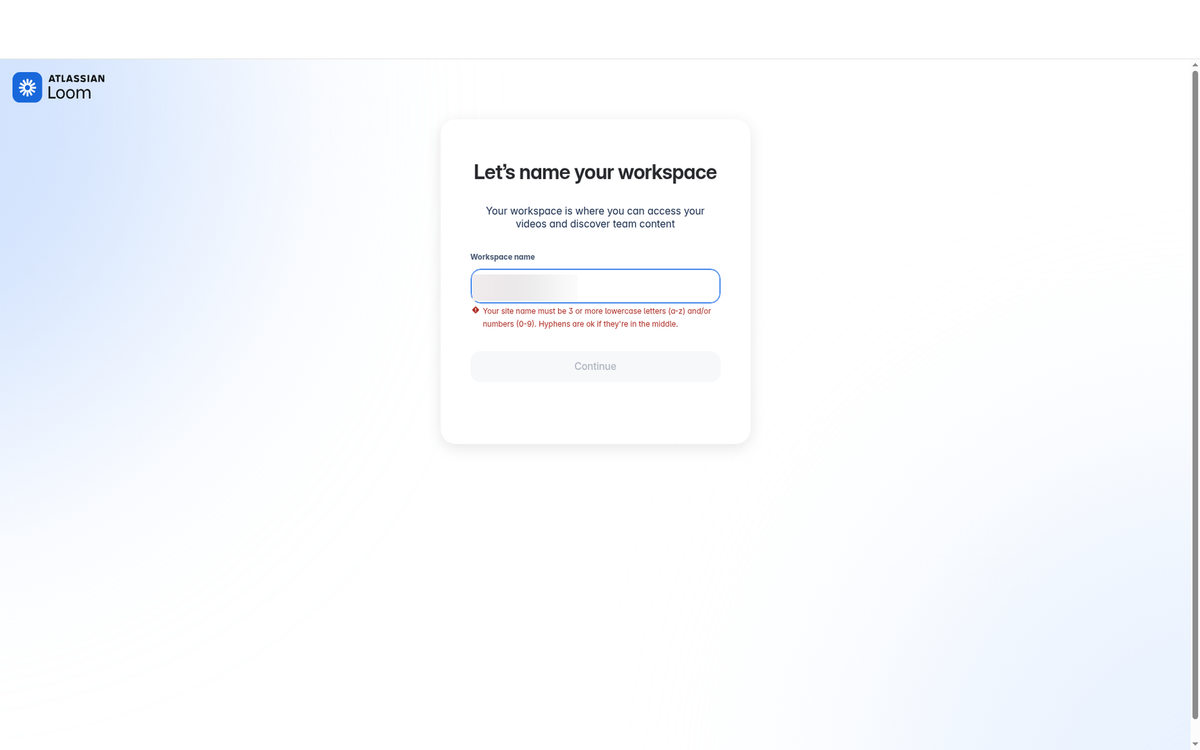
Onboarding — Workspace name error
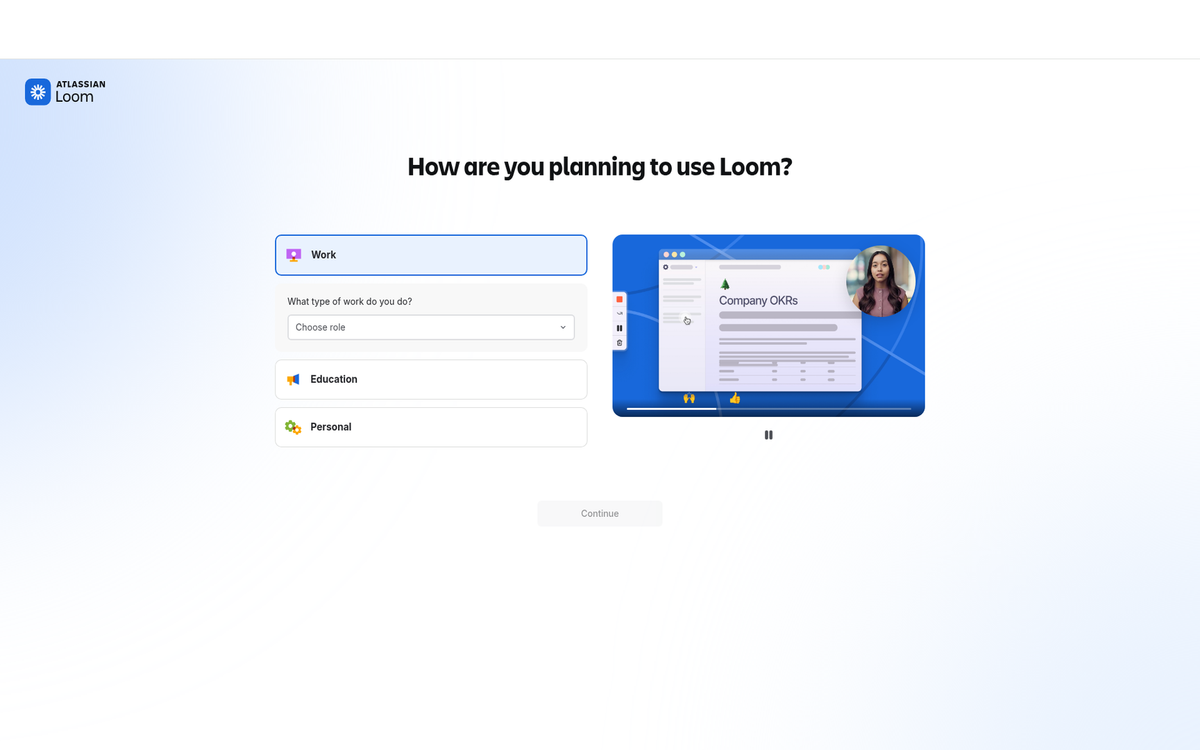
Onboarding — How will you use Loom
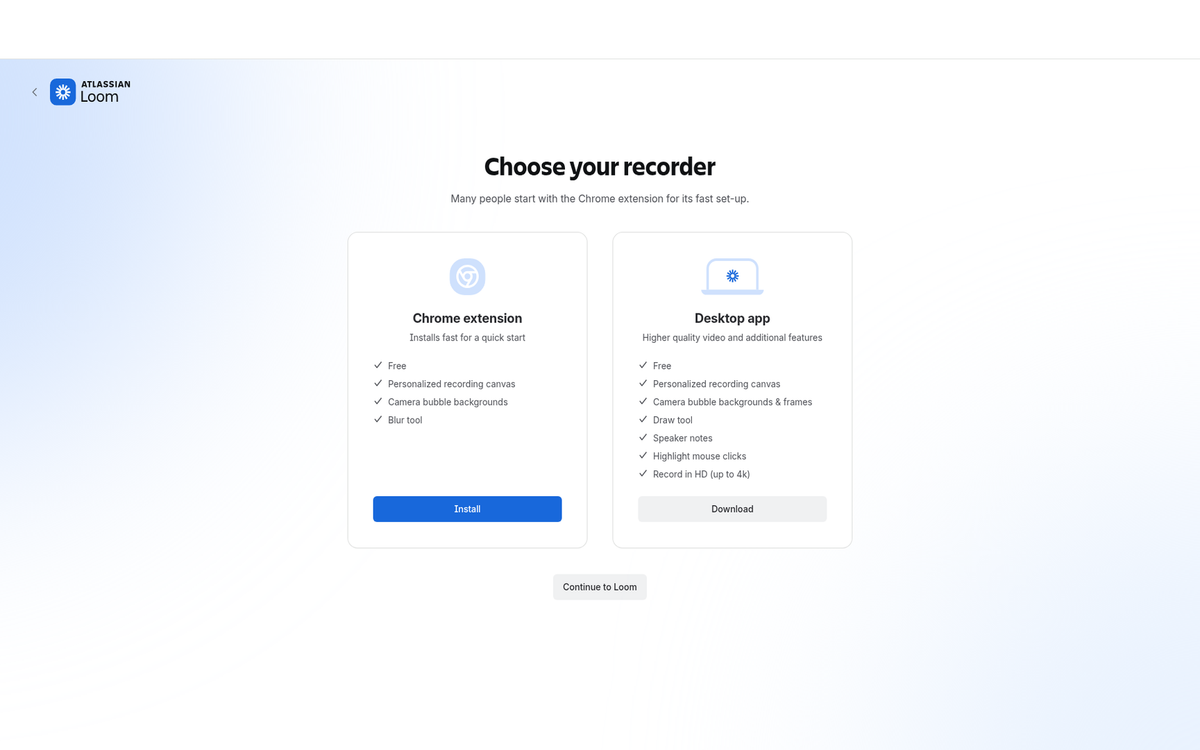
Onboarding — Choose your recorder
What these 4 screens show
- Onboarding — Name your workspace
- Onboarding — Workspace name error
- Onboarding — How will you use Loom
- Onboarding — Choose your recorder